
Tracking your macros can be a great way to sustain your energy throughout demanding workdays and streamline your decision-making so you can focus on the rest of your life. Macronutrients are the three key nutrients that your body needs: protein, carbohydrates, and fat. You may be considering tracking your macros to hone in on weight loss or supercharging your fitness goals. This can help ensure your body gets balanced nutrition all around.
We tested 17 weight loss apps and selected our top five picks for macro tracking. Each app on our list has options for tracking, offering various levels of education, support, and special features to support you, no matter what your goals may be. Read on for our full list.
Best Macro Tracking Apps of 2026
- Best Macro Tracking App Overall: Noom
- Best Macro Tracking App with Subscription Options: Cronometer
- Best Macro and Calorie Tracking App: MacroFactor
- Best Macro Tracking App for Beginners: Yazio
- Best Macro Tracking App for Weight Loss: Weight Watchers
About Our Expert
This article was medically reviewed by Jillian Robillard, MS, RD, LDN, CSSD. Jillian is a licensed and registered dietitian at Whole Balanced Nutrition.
Best Macro Tracking Apps Comparison Table
Best Macro Tracking App Overall: Noom
Noom
Price options
Special features
Compatibility
- Our thoughts: Our tester loved the built-in support
- Who it’s for: People who want more community and coaching as they count macros
- What makes it different: Noom incorporates lessons on behavioral psychology to help folks reach their goals
Our Thoughts on Noom
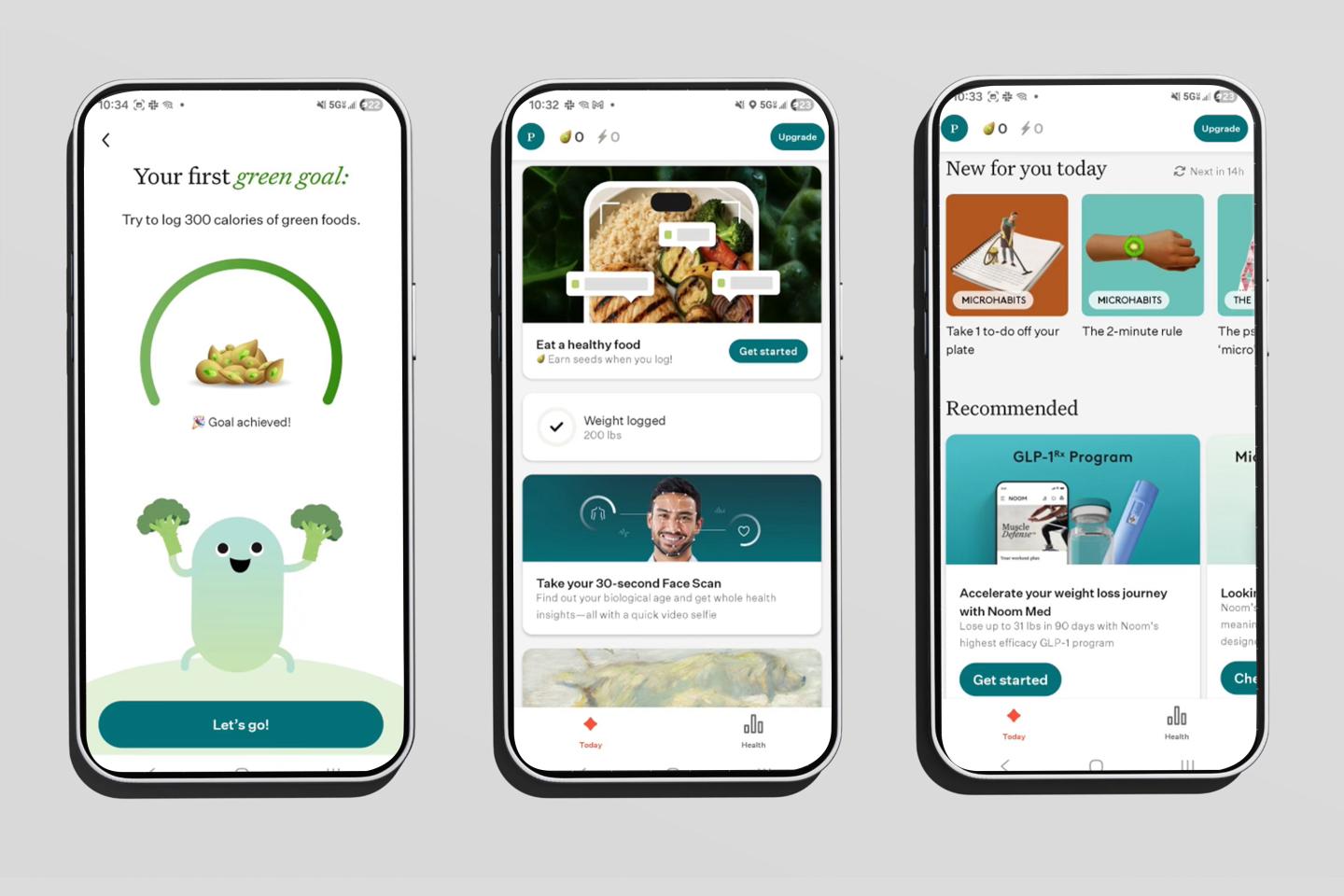
Noom is our pick for the best overall macro tracking app because the program is a science-based way to facilitate long-term weight loss. Noom offers educational support designed to help people discover the “why” behind their behaviors, which in turn can help them change. We asked two testers to try the Noom app, and both gave rave reviews. Here’s what they said.
First, the app’s general approach to macro counting was simple, per our tester, Grant. “Noom centers around replacing less nutrient-dense calories with other, more filling foods that can help you lose weight overall,” he said. “The goal is simple: Stay at a calorie deficit—lose weight. While that’s not necessarily true for everybody in every circumstance, it worked for me and was simple enough to stick to.” Grant rated it a 5 out of 5 for safety.
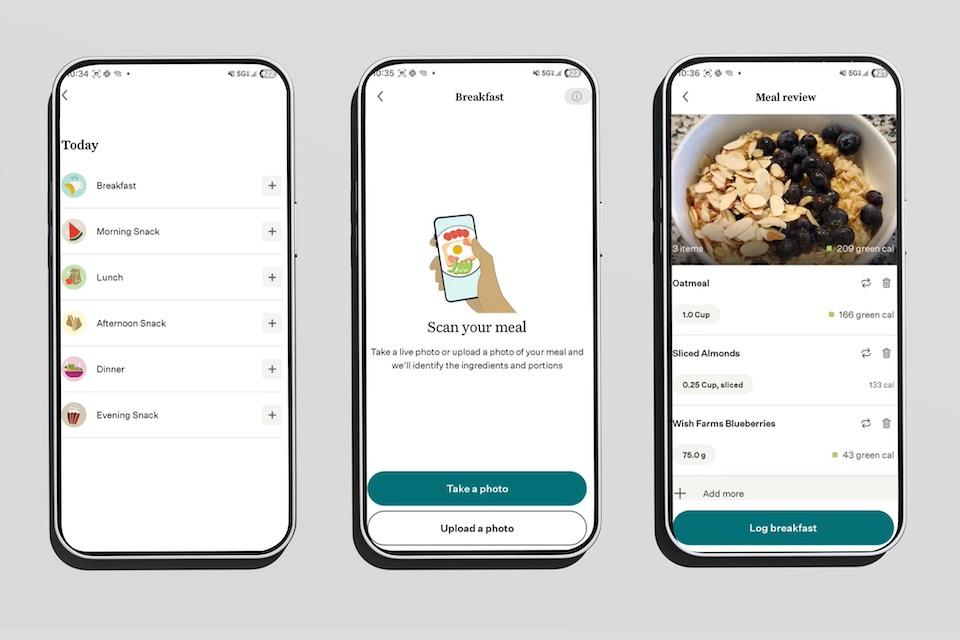
Noom uses a simple color-coded system that assigns foods one of three colors: green, yellow, or orange. Pete, our second tester and a certified nutrition coach, said higher-calorie foods are orange, while lower-calorie foods are green. Pete rated the app a 5 out of 5 for its instructions. Pete also said this gentle guidance was an appealing aspect of using Noom, because no foods were truly off-limits. For that reason, he said, it felt “less intimidating.” Pete did notice, though, that the calorie recommendations sometimes seemed low for a physically active person.
Overall, our testers enjoyed using Noom and found it a helpful tool for tracking calories. Grant said, “Noom helped me lose nearly 70 pounds. It wasn’t just Noom, but the first 24 pounds I lost, I attribute to Noom directly. Understanding where I was getting more calories than needed was the first step in cleaning up my diet (which felt like a game, honestly).” He rated his overall experience with Noom as a 5 out of 5.
Best Macro Tracking App with Subscription Options: Cronometer
Cronometer
Price options
Special features
Compatibility
- Our thoughts: We like how high-quality the free version of the app is
- Who it’s for: Folks who just need a tracker, not any additional support or education
- What makes it different: It’s a tool for folks with clearly defined calorie or macronutrient goals
Our Thoughts on Cronometer
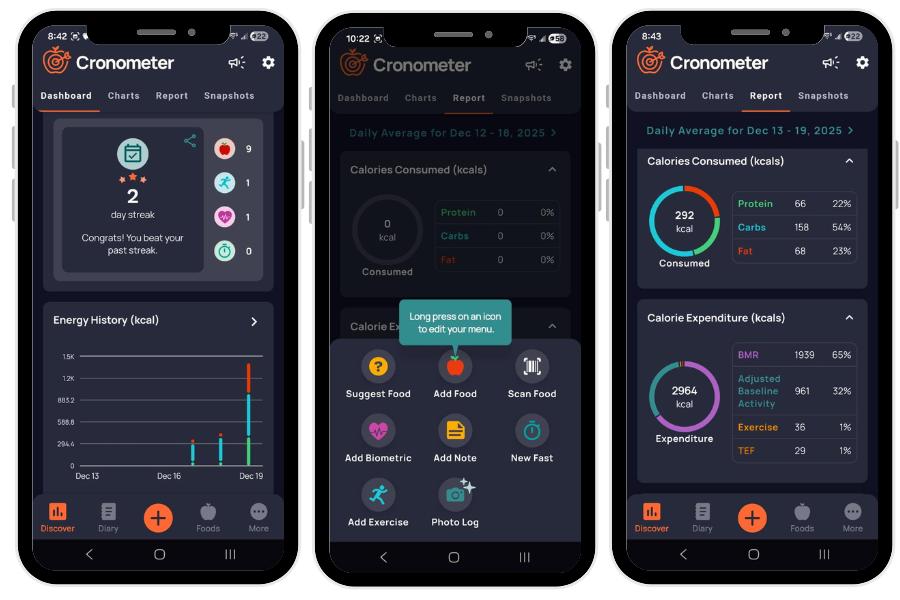
Cronometer is our pick for the best macro tracking app with subscription options because it has detailed macronutrient tracking. Using the app, you can track more than just calories—you can examine your intake (or lack thereof!) of vitamins and minerals, too. We like that the free version also has plenty of high-quality basic features.
Our tester, Pete, has used Cronometer on and off for six years. As Pete said, “It’s not something I use year-round, but it’s a tool I add into my routine when I’m preparing for a competition or when I want to be more intentional about my eating habits.”
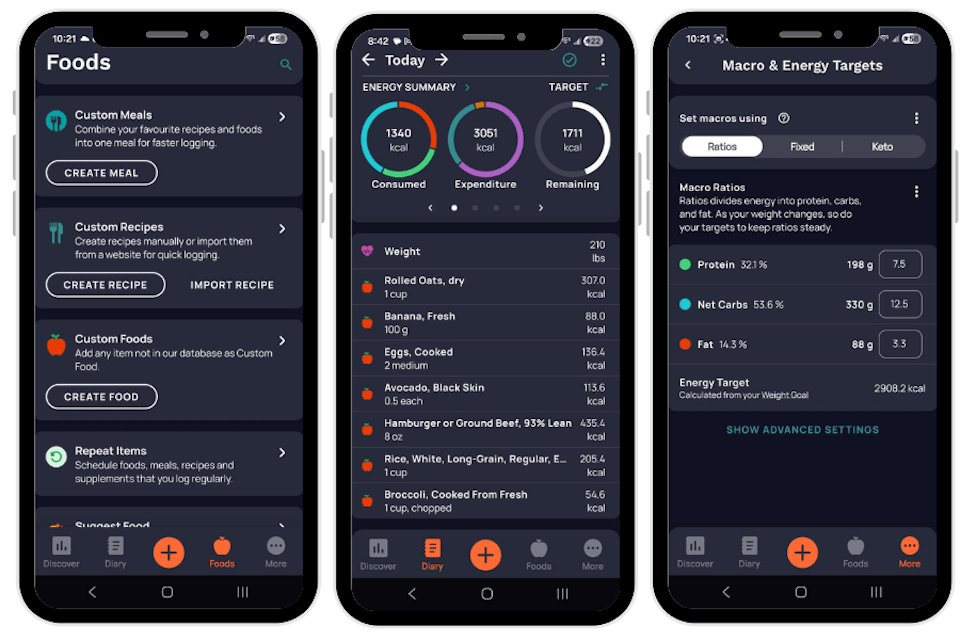
Pete rated his onboarding experience a 4 out of 5. “Getting set up with Cronometer is simple. There’s no lengthy onboarding quiz,” he said. After that, the app really is all about tracking. “It is easy to log food and track both calories and macronutrients,” he described. “I appreciate that it also tracks other important metrics like fiber and a few different vitamins and minerals.”
“Cronometer is a tracking-focused app designed to help you log food, exercise, and body weight,” said Pete. This may be appealing to some, but a drawback for others—it really depends on the amount of support you’re looking for.
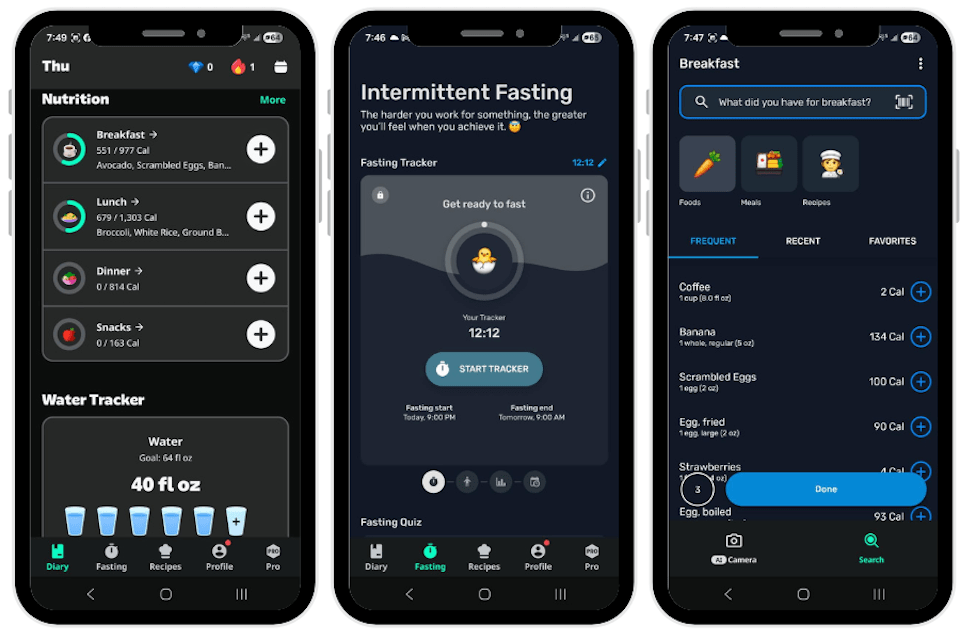
Even the free version offers a lot of functionality, Pete said, including barcode scanning, while noting that the paid version adds helpful tools like personalized food suggestions, a fasting timer, and a feature that makes it easier to log home-cooked meals by pasting the recipe URL. Another thing we appreciate about the app is that it’s customizable. You can set precise calorie and macronutrient targets as needed for your particular goals.
Best Macro and Calorie Tracking App: MacroFactor
MacroFactor
Price options
Special features
Compatibility
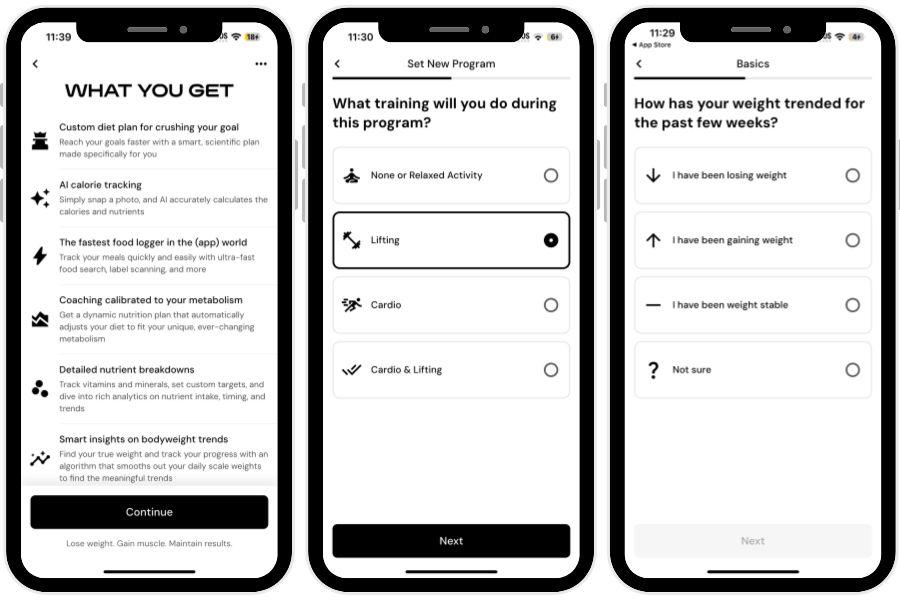
- Our thoughts: We love how detailed the tracking is
- Who it’s for: Folks who want to see progress charts and analyze their data
- What makes it different: Has a new AI food logging feature
Our Thoughts on MacroFactor
MacroFactor is our pick for the best macro and calorie tracking app because it checks in with you weekly, then adjusts the targets to suit your metabolism and weigh-ins. This adaptive method helps you to set your macros based on real-world experience, rather than guessing.
Charlotte tested MacroFactor for about one week and rated her overall experience as a 5 out of 5. “It was straightforward and easy to use, plus it did not feel like a burden to log my food because of how quick it was,” she said.
She rated the instructions a 4 out of 5. “The calorie and macro recommendations are laid out clearly, and the app does a good job explaining why it adjusts your goals over time. It’s not overly complicated,” Charlotte said. “I also liked the educational side of the program because it helps you understand things like metabolism, nutrition, and weight trends without feeling too technical. It feels more focused on building sustainable habits rather than forcing strict dieting rules.”
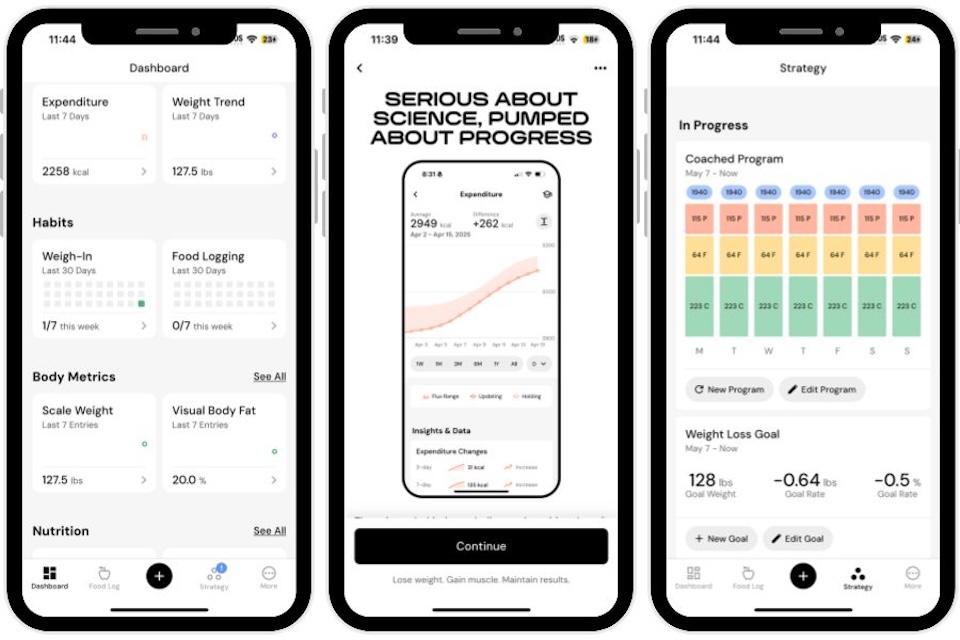
“MacroFactor does not focus heavily on community features, but it still creates accountability through progress tracking, regular check-ins, and goal updates. I liked that the app feels supportive and data-driven without using guilt or food shaming,” Charlotte said, rating the accountability features a 4 out of 5. “I also think it helps build healthy habits that can last long term. The app teaches practical nutrition information like portion awareness, calorie balance, and flexible eating, which makes the habits feel realistic and sustainable even outside of the program,” she added.
Charlotte rated the user interface a 5 out of 5. “This app makes calorie and macro tracking pretty simple. Logging food is quick, and it clearly shows calories along with protein, carbs, and fats. The barcode scanner and food database also make things easier day to day. The most useful parts were the calorie targets, macro breakdown, and weight trend tracking since they give a clear picture of progress over time,” she said.
Best Macro Tracking App for Beginners: Yazio
Yazio
Price options
Special features
Compatibility
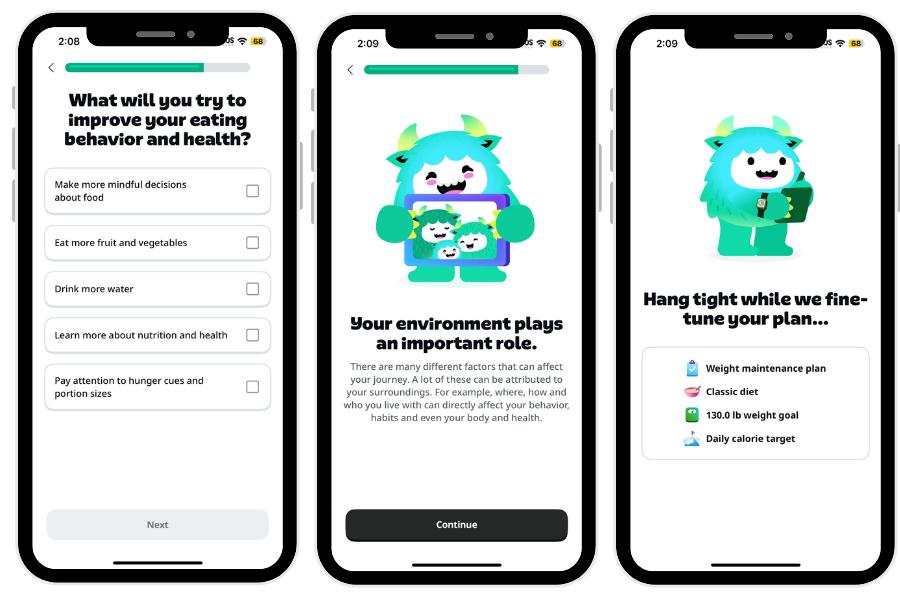
- Our thoughts: Our tester loves Yazio's tracking ability and customization
- Who it’s for: Folks who want a simple macro tracker
- What makes it different: Yazio has a daily countdown that shows how many calories you have left in your day
Our Thoughts on Yazio
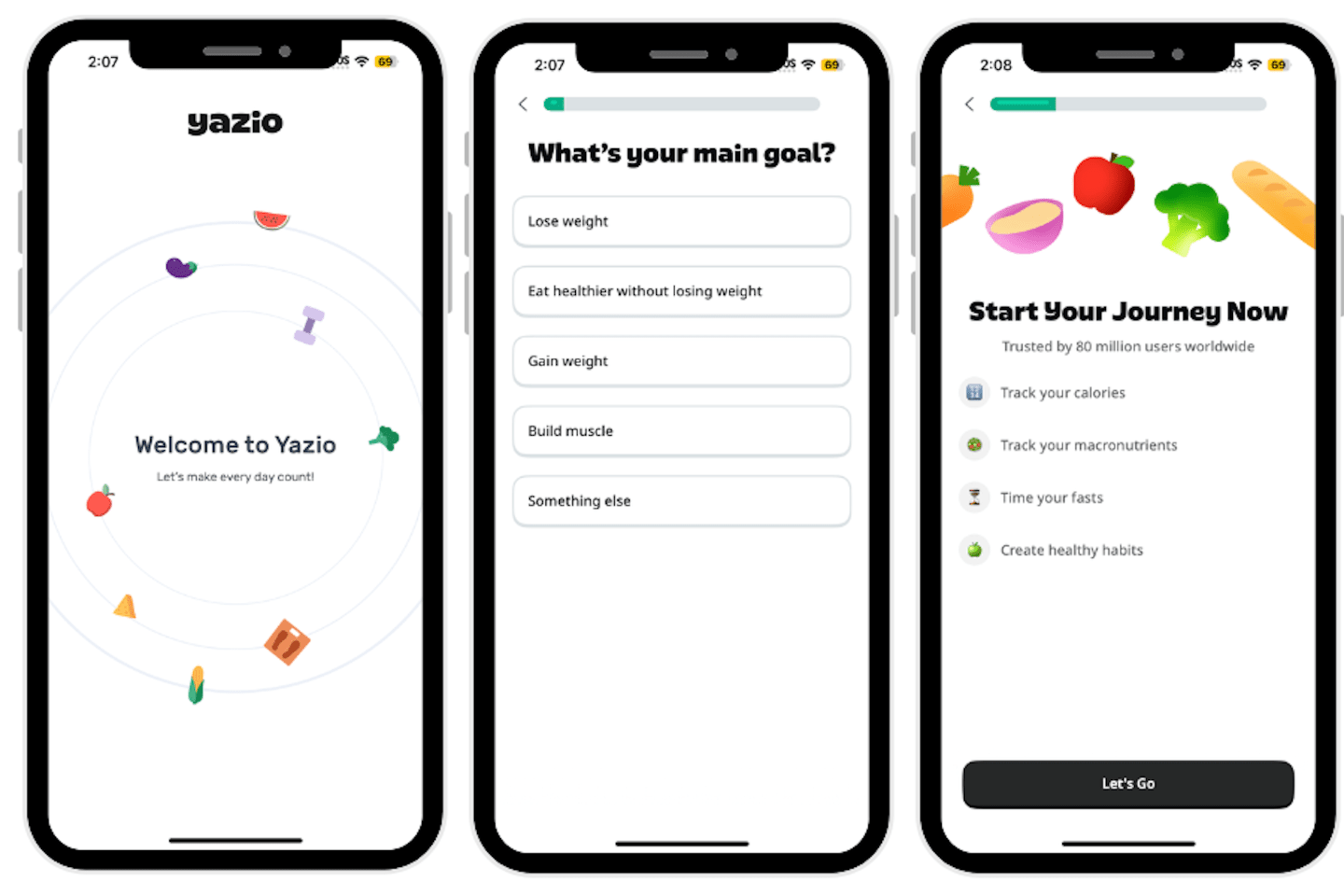
Yazio is our pick for the best macro tracking app for beginners, as its features are basic, yet extensive enough for folks who want to get into the habit of tracking their calories, macros, or fasting. The app’s calculator provides you with three categories of tracking: calories eaten, calories burned, and calories remaining for the day. You’ll also see a macronutrient breakdown, showing daily allowances for carbs, protein, and fat, as well as how many grams of each you have consumed so far.
Pete tried the free version of Yazio for one week, tracking calories and macronutrients. “The app was intuitive to use—it did exactly what I needed it to do,” he said, rating it a 4 out of 5 for overall experience.
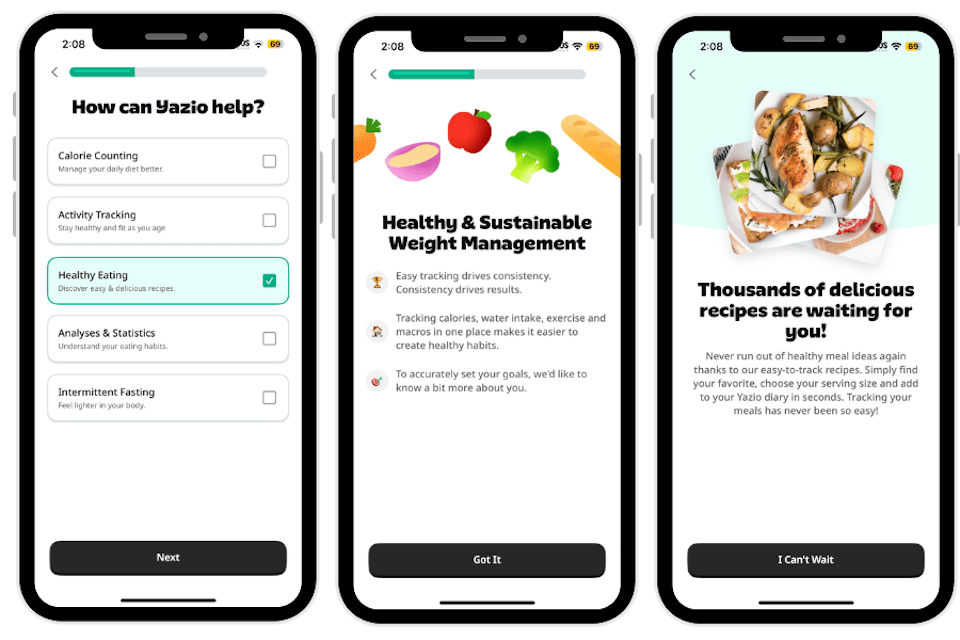
“Like many nutrition apps, Yazio begins with a brief quiz about your dietary habits, activity level, and goals. Once I completed the questions, the app generated calorie and macronutrient targets that felt accurate for my needs. You can also adjust these targets at any time under your profile tab or enter custom numbers if you are working with a nutrition coach. I found this especially helpful because Yazio allows very precise adjustments. You can fine-tune your targets by single percentages rather than being limited to fixed increments like other apps,” Pete said.
He was less pleased with the extra features, or lack thereof, in the free version of Yazio, rating them a 2 out of 5. “The free version of the app does not include access to its recipe guides. There are also no real educational components in Yazio. It functions primarily as a calorie-counting and fasting tool.” If you’re looking for a more robust, complex app to help you learn as you track, we suggest trying out Noom.
The pro, paid version of Yazio does offer features like personalized meal recommendations and recipes, plus a food rating system with nutritional analysis. We found this to be a helpful calorie counter app overall, with the option to upgrade for access to premium features.
Best Macro Tracking App for Weight Loss: Weight Watchers
WeightWatchers
Price options
Special features
Compatibility
- Our thoughts: We love that you can track meals by photo
- Who it’s for: Folks want to track by a points system that’s layered with a macro tracker
- What makes it different: The app includes a library of over 12,000 recipes
Our Thoughts on WeightWatchers
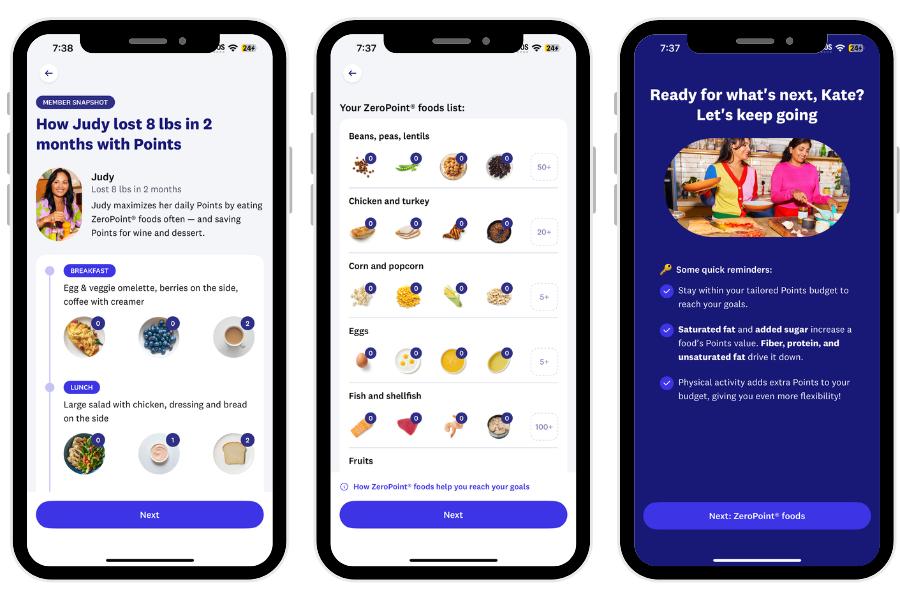
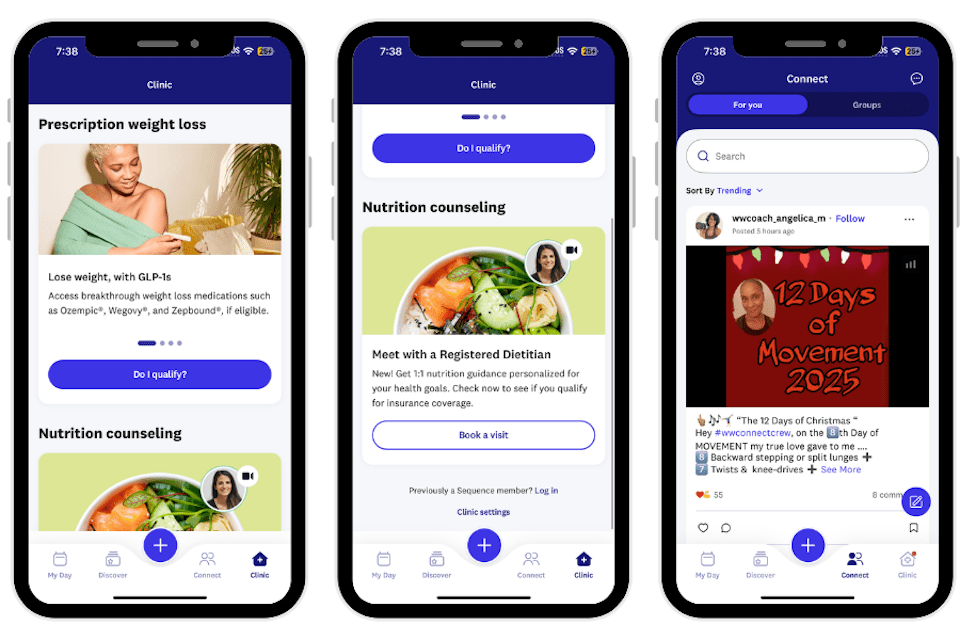
WW, formerly known as WeightWatchers, is our pick for the best macro tracking app for weight loss. The program has been around since the ‘60s, with key features including community support and accountability. You can keep track of your meals and key macros using photos or the barcode-scanning app for quick logging. WW includes a robust recipe library and also includes tracking for sleep, exercise, and more. It also has over 600 restaurant guides to help you maintain your weight loss while dining out and shopping for groceries.
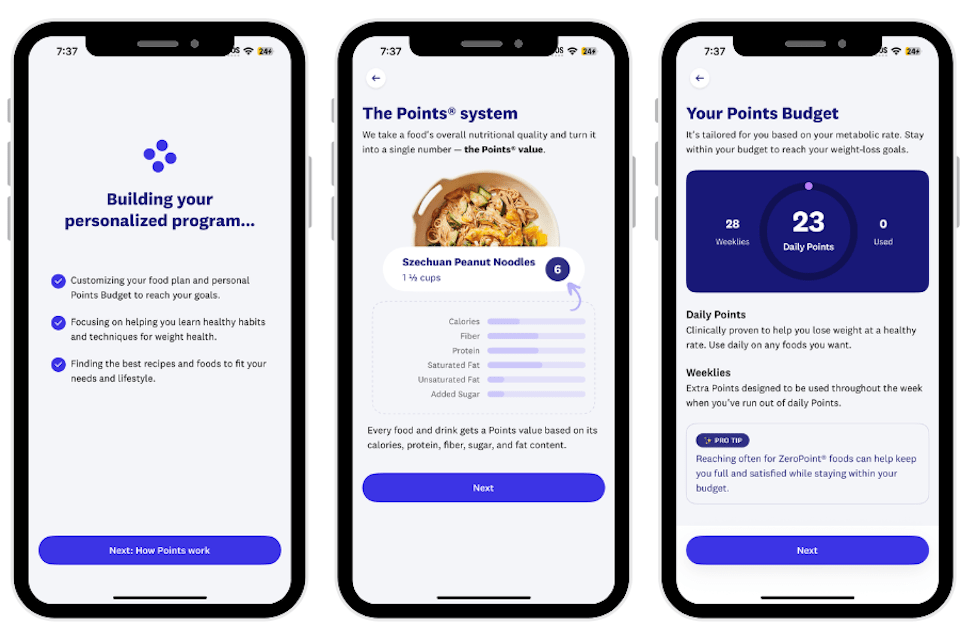
Pete tested WW for seven days, rating his experience a 4 out of 5. “Overall, WW has a lot of positives for anyone looking to build healthier eating habits,” he said. “The app itself is well-designed, offering plenty of useful features, including a barcode scanner for quick and easy tracking, the ability to log meals by taking a photo, and a robust recipe database. It also provides macronutrient data for protein, carbs, and fats, and includes a recipe analyzer that can generate point totals for virtually any recipe. There’s also a progress tab so you can keep track of your weight loss over time,” Pete added.
We think WW is great for accountability, and Pete agrees, rating the app a 5 out of 5 in this category. “One area where WW excels is community support. WW hosts regular meetings for users to discuss their weight loss journeys, encourage each other, and celebrate wins. This social support has been shown to increase program adherence and generate better long-term weight loss results. Plus, the points system helps users learn general healthy food habits that they can utilize after WW,” he said.
Pete rated the user interface a 4 out of 5. “Calorie counting isn’t explicitly part of the program, but the Points system effectively serves that purpose. When you log foods, you can view macronutrients, though tracking them isn’t a core focus of the program. The Points system is clearly the most valuable aspect, as it simplifies nutrition and helps guide healthier choices in support of weight-loss goals. The program is app-based, and the app is intuitive and easy to sync with compatible devices,” he said.
We think WW is great for folks who want to track their macros, interact with a community, and form more healthy habits.
Specs
- Price options: 30 days
- Special features: Sleep tracking, photo meal tracking, new AI body scanner
- Compatibility: Apple Health, Fitbit, Google Fit, and Garmin
How We Tested and Selected the Best Macro Tracking Apps
When testing the best macro tracking apps, we considered factors such as setup and ease of use, tracking, sustainability, safety, and more. Read on for details on our process.

Setup and Ease of Use
We looked for macro tracking apps that are easy to sign up for and use right away, so that there are no barriers to getting started.
Tracking
We chose macro tracking apps that include detailed tracking of macronutrients, micronutrients, and more. We prioritized apps that also track weight management-related aspects of health, such as sleep and exercise. We also focused on apps with easy tracking methods, such as the option to upload a photo of your meal rather than manually adding each component.
Sustainability
We prioritized macro tracking apps that have lessons or education that will help lead to long-term sustainability.
Safety
We chose apps that emphasize forming healthy habits, rather than quick fixes or unhealthy caloric restriction. We also focused on apps that make weigh-ins or body photos optional.
Value
When it comes to value, we focused on a few key aspects: a trial period or free version of the app, plan costs, and compatibility with various wearables such as smartwatches.
Benefits of Macro Tracking Apps
Macro tracking apps offer several benefits, including:
- Apps with verified food data
- Apps with easy goal-setting features
- Apps with clear macro breakdowns
- Apps with easy logging tools, such as photo uploads
What to Avoid in Macro Tracking Apps
When choosing a macro tracking app, we recommend that you avoid:
- Apps that don’t protect your personal data
- Apps that market overnight weight loss or progress that seems too good to be true
- Apps that have inaccurate or incomplete data
- Apps that have poor customization
- Apps that have a lot of distracting ads or constantly try to get you to upgrade
How to Find the Best Macro Tracking Apps for You
When choosing an app to track your macros, here are some key aspects to consider.
Your Fitness Goals
Before starting, focus on your reasons for macro tracking apps: fat loss, muscle gain, athletic performance, managing conditions like diabetes, or feeling more energetic. Your ideal macro tracking app might also have features to track strength training, cardio, nutrition habits, or medical oversight.
Accountability
Some folks prefer macro-tracking apps that involve community, dynamic features that adjust your goals as you go, and offer feedback, which can be especially helpful if you struggle with consistency. Or you might feel comfortable using a self-guided app with notifications.
Cost
Some apps have a one-time price, and others are priced monthly or in other bundles of time. Consider how long you’d like to use an app to track your macros, when you’d like to reach your goal, and purchase the app based on those factors. Some macro tracking apps are initially free, but then premium features may have a cost.
Frequently asked questions
What is the best app for tracking your macros?
Noom is our pick for the best overall macro tracking app because the program is a science-based way to facilitate long-term weight loss. Noom offers educational support designed to help people discover the “why” behind their behaviors, which in turn can help people change.
Is a macro tracking app worth it?
Yes, a macro tracking app can be worthwhile and help you stay on track if you are following a particular way of eating to meet your nutrition and fitness goals. It can be helpful at first to help you get a baseline of your intake. Over time, it can become tedious or time-consuming. Also keep in mind that macro tracking is not recommended for those with eating disorders or disordered eating patterns.
Which macro app is best for beginners?
We like Yazio, as its features are basic, yet extensive enough for folks who want to get into the habit of tracking their calories, macros, or fasting. The app’s calculator provides you with three categories of tracking: calories eaten, calories burned, and calories remaining for the day.