• Home
  • Latest
  • Fortune 500
  • Finance
  • Tech
  • Leadership
  • Lifestyle
  • Rankings
  • Multimedia
Logged In

How to print from your smartphone or tablet

By
Jason Cipriani
Jason Cipriani
Down Arrow Button Icon
By
Jason Cipriani
Jason Cipriani
Down Arrow Button Icon
January 27, 2015, 12:16 PM ET
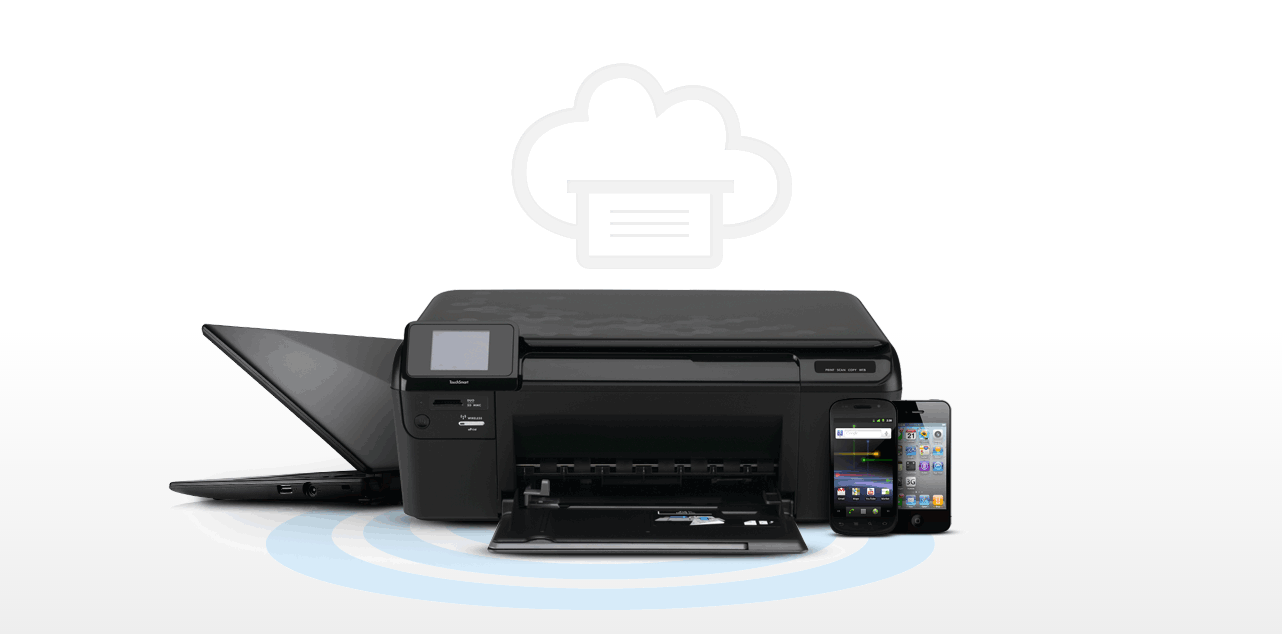
Google Cloud Print photo illustration
Google Cloud Print photo illustrationCourtesy: Google

Q. I was told I can print from my iPad, but I can’t figure out how to do it. Help!

A. With the ever-growing ability to get more work done using our mobile devices, it’s only a matter of time before you find yourself searching for the print button. Google’s Android and Apple’s iOS offer the ability to print a boarding pass or (shudder) spreadsheet without forcing you to open a laptop. Below, I outline how to print from devices that use either mobile operating system.

Printing from an iOS device—whether it’s an iPhone, iPad, or even iPod touch—is possible with AirPrint. The service requires your device to be connected to the same Wi-Fi network as an AirPrint-compatible printer. You can find a list of supported printers on Apple’s support site.

If you own or have access to a supported printer, you’re in luck. With both devices are connected to the same network, you can print items from within various apps on your iOS device by tapping on the action button, the name for the icon depicting a rectangle (like a screen) with an arrow pointing up, where available. Select it and next appears a “Share Sheet” with two rows of icons. You can find the print icon in the bottom row. Tap on it, select your printer, and set the number of copies to be printed. Done.

There isn’t a dedicated printing app within iOS; instead, you begin the process within an app. Should something go awry, you can check on the status of a print job by double-pressing the home button and swiping once to the right. A Print Summary window will appear; selecting it will provide more information regarding any open print jobs.

And what if you don’t have an AirPrint-compatible printer? All is not lost. If you have a Wi-Fi-enabled printer that doesn’t support AirPrint, it’s likely that the manufacturer has its own app in Apple’s App Store that makes wireless printing possible. HP has its ePrint app, Epson has its iPrint app, Canon has its Mobile Print app, and so on. Search the App Store for your manufacturer’s name and you should be able to find a corresponding app. Don’t have a Wi-Fi enabled printer at all? HandyPrint (for Mac users) and Presto (for Windows users) offer workarounds to force your iOS devices to find your printer via AirPrint.

Users of Google Android devices can take advantage of Google’s Cloud Print service. If you purchased your Android device in the last year or so, Cloud Print should come pre-installed on your device. (You can check by launching the Settings app and scrolling to the bottom of the list where a “Printing” option should be listed.) If it’s not, you can install the Cloud Print app from the Play Store for free.

Cloud Print will automatically scan your Wi-Fi network for compatible printers and install the necessary plug-in in the background. In my case, I set up a new Android device and the HP Printer plugin was automatically added to the Printing section in the Settings app.

The process for printing from an Android device varies based on the app you’re using. Google’s own Docs app requires you to select “Share & Export,” followed by “Print.” Other apps list “Print” in the main menu. My best advice: Start looking for the print command in the menu. If it’s not there, it’s likely under the Share option. When the process has started, a notification will appear in your Notification Shade as a shortcut to check the status of open jobs.

If you’re an Android user without a Wi-Fi-enabled printer, don’t use a third-party solution right off the bat. Instead, follow the instructions on Google’s Cloud Print support site. The process is simple, but does require you to have Google’s Chrome browser installed and the printer connected to a computer that’s always on.

Finally: This is the second “Logged In” column where I’ve answered a burning personal technology question. (You can read the first one here.) If you’re struggling with a tech-related issue that you’d like to see answered in a future column, email me at jason@jasoncipriani.com.

“Logged In” is Fortune’s personal technology column, written by Jason Cipriani. Read it on Fortune.com each Tuesday.


About the Author
By Jason Cipriani
See full bioRight Arrow Button Icon

Latest in

Finance
Lorem ipsum dolor sit amet, consectetur adipiscing elit, sed do eiusmod tempor incididunt ut labore et dolore magna aliqua. Ut enim ad minim veniam
By Fortune Editors
October 20, 2025
Finance
Lorem ipsum dolor sit amet, consectetur adipiscing elit, sed do eiusmod tempor incididunt ut labore et dolore magna aliqua. Ut enim ad minim veniam
By Fortune Editors
October 20, 2025
Finance
Lorem ipsum dolor sit amet, consectetur adipiscing elit, sed do eiusmod tempor incididunt ut labore et dolore magna aliqua. Ut enim ad minim veniam
By Fortune Editors
October 20, 2025
Finance
Lorem ipsum dolor sit amet, consectetur adipiscing elit, sed do eiusmod tempor incididunt ut labore et dolore magna aliqua. Ut enim ad minim veniam
By Fortune Editors
October 20, 2025
Finance
Lorem ipsum dolor sit amet, consectetur adipiscing elit, sed do eiusmod tempor incididunt ut labore et dolore magna aliqua. Ut enim ad minim veniam
By Fortune Editors
October 20, 2025
Finance
Lorem ipsum dolor sit amet, consectetur adipiscing elit, sed do eiusmod tempor incididunt ut labore et dolore magna aliqua. Ut enim ad minim veniam
By Fortune Editors
October 20, 2025

Most Popular

Finance
Lorem ipsum dolor sit amet, consectetur adipiscing elit, sed do eiusmod tempor incididunt ut labore et dolore magna aliqua. Ut enim ad minim veniam
By Fortune Editors
October 20, 2025
Finance
Lorem ipsum dolor sit amet, consectetur adipiscing elit, sed do eiusmod tempor incididunt ut labore et dolore magna aliqua. Ut enim ad minim veniam
By Fortune Editors
October 20, 2025
Finance
Lorem ipsum dolor sit amet, consectetur adipiscing elit, sed do eiusmod tempor incididunt ut labore et dolore magna aliqua. Ut enim ad minim veniam
By Fortune Editors
October 20, 2025
Finance
Lorem ipsum dolor sit amet, consectetur adipiscing elit, sed do eiusmod tempor incididunt ut labore et dolore magna aliqua. Ut enim ad minim veniam
By Fortune Editors
October 20, 2025
Finance
Lorem ipsum dolor sit amet, consectetur adipiscing elit, sed do eiusmod tempor incididunt ut labore et dolore magna aliqua. Ut enim ad minim veniam
By Fortune Editors
October 20, 2025
Finance
Lorem ipsum dolor sit amet, consectetur adipiscing elit, sed do eiusmod tempor incididunt ut labore et dolore magna aliqua. Ut enim ad minim veniam
By Fortune Editors
October 20, 2025
Fortune Secondary Logo
Rankings
  • 100 Best Companies
  • Fortune 500
  • Global 500
  • Fortune 500 Europe
  • Most Powerful Women
  • Future 50
  • World’s Most Admired Companies
  • See All Rankings
Sections
  • Finance
  • Fortune Crypto
  • Features
  • Leadership
  • Health
  • Commentary
  • Success
  • Retail
  • Mpw
  • Tech
  • Lifestyle
  • CEO Initiative
  • Asia
  • Politics
  • Conferences
  • Europe
  • Newsletters
  • Personal Finance
  • Environment
  • Magazine
  • Education
Customer Support
  • Frequently Asked Questions
  • Customer Service Portal
  • Privacy Policy
  • Terms Of Use
  • Single Issues For Purchase
  • International Print
Commercial Services
  • Advertising
  • Fortune Brand Studio
  • Fortune Analytics
  • Fortune Conferences
  • Business Development
About Us
  • About Us
  • Editorial Calendar
  • Press Center
  • Work At Fortune
  • Diversity And Inclusion
  • Terms And Conditions
  • Site Map
Fortune Secondary Logo
  • About Us
  • Editorial Calendar
  • Press Center
  • Work At Fortune
  • Diversity And Inclusion
  • Terms And Conditions
  • Site Map
  • Facebook icon
  • Twitter icon
  • LinkedIn icon
  • Instagram icon
  • Pinterest icon

Latest in

sam altman
AIOpenAI
Sam Altman tells staff at an all-hands that OpenAI is negotiating a deal with the Pentagon, after Trump orders the end of Anthropic contracts
By Sharon GoldmanFebruary 27, 2026
4 hours ago
Future of Workthe future of work
Have good taste? It may just get you a job during the AI jobs apocalypse, says Sam Altman
By Marco Quiroz-GutierrezFebruary 27, 2026
4 hours ago
CybersecurityMeta
Trump’s FTC backs off social media regulation despite finding that nearly 20% of America’s children are online for 4 hours or more
By Catherina GioinoFebruary 27, 2026
4 hours ago
Emil Michael smirks
AIAnthropic
Emil Michael, the Silicon Valley exec turned Trump official leading the war against Anthropic, has deep ties to the tech world
By Lily Mae LazarusFebruary 27, 2026
5 hours ago
C-SuiteFortune 500 Power Moves
Fortune 500 Power Moves: Which executives gained and lost power this week
By Fortune EditorsFebruary 27, 2026
5 hours ago
AIMilitary
Trump orders U.S. government to stop using Anthropic but gives Pentagon six months to phase it out while Hegseth adds supply-chain risk designation
By Jason MaFebruary 27, 2026
5 hours ago

Most Popular

placeholder alt text
Innovation
An MIT roboticist who cofounded bankrupt robot vacuum maker iRobot says Elon Musk’s vision of humanoid robot assistants is ‘pure fantasy thinking’
By Marco Quiroz-GutierrezFebruary 25, 2026
2 days ago
placeholder alt text
Success
Jeff Bezos says being lazy, not working hard, is the root of anxiety: ‘The stress goes away the second I take that first step’
By Sydney LakeFebruary 25, 2026
2 days ago
placeholder alt text
Commentary
'The Pitt': a masterclass display of DEI in action 
By Robert RabenFebruary 26, 2026
2 days ago
placeholder alt text
Economy
It’s more than George Clooney moving to France: America is becoming the ‘uncool’ country that people want to move away from
By Nick LichtenbergFebruary 27, 2026
18 hours ago
placeholder alt text
Economy
Trump claims America is ‘winning so much.’ The IMF agrees, adding that Trump’s trade policies are the only thing holding it back from even more
By Tristan BoveFebruary 26, 2026
1 day ago
placeholder alt text
Success
Gen Z Olympic champion Eileen Gu says she rewires her brain daily to be more successful—and multimillionaire founder Arianna Huffington says it really does work
By Orianna Rosa RoyleFebruary 25, 2026
2 days ago

© 2026 Fortune Media IP Limited. All Rights Reserved. Use of this site constitutes acceptance of our Terms of Use and Privacy Policy | CA Notice at Collection and Privacy Notice | Do Not Sell/Share My Personal Information
FORTUNE is a trademark of Fortune Media IP Limited, registered in the U.S. and other countries. FORTUNE may receive compensation for some links to products and services on this website. Offers may be subject to change without notice.