• Home
  • Latest
  • Fortune 500
  • Finance
  • Tech
  • Leadership
  • Lifestyle
  • Rankings
  • Multimedia
TechBest Companies

4 New iPhone Hacks You Need to Know About

By
Sarah Yang
Sarah Yang
Down Arrow Button Icon
By
Sarah Yang
Sarah Yang
Down Arrow Button Icon
April 19, 2017, 12:46 PM ET
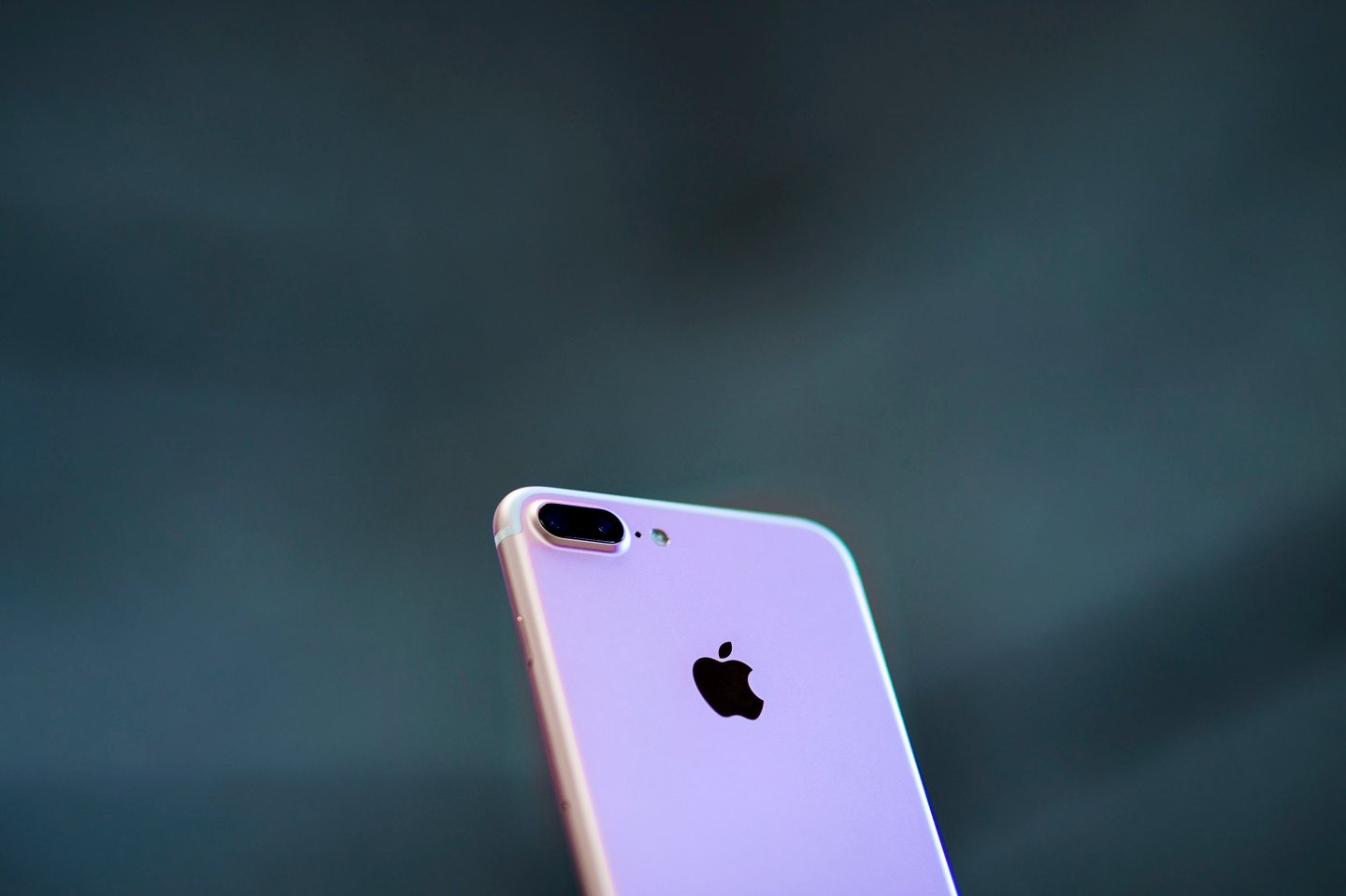
Iphone 7 Is Presented in Madrid
MADRID, SPAIN - SEPTEMBER, 16: An Iphone 7 Plus with its new dual camera is displayed at Puerta del Sol Apple Store the day the company launches their Iphone 7 and 7 Plus on September 16, 2016 in Madrid, Spain. The iPhone 7 and iPhone 7 Plus has been launched on Friday September 16th in more than 25 countries. Customers have started to queue 38 hours before the opening of the store placed in the center of Madrid. (Photo by Gonzalo Arroyo Moreno/Getty Images)Gonzalo Arroyo Moreno Getty Images

With the spring season finally here, a lot of people are using this time to declutter and clean their homes. But since we spend so much time on our tech devices now, the new season is also a chance to refresh, update, and organize your phone or tablet. Maybe you’ve given up your New Year’s resolution of getting to inbox zero every night or organizing your photos and email subscriptions. Now’s the chance to start again.

Take a look at these four iPhone tricks. They’ll save you some time so you can have more hours of your day to enjoy the beautiful spring weather. They’re all new features on iOS 10, Apple’s latest software, so they work for iPads, too.

This article originally appeared on RealSimple.com

1 Unsubscribe

Finding yourself tempted by the many emails you get about the latest sales and deals? Or maybe you’re on so many mailing lists that no longer apply to you anymore, like bridal newsletters for your wedding over two years ago. You can easily get off these lists just by opening the email in the mail app and tapping on “Unsubscribe” at the top of the screen.

2 Maximize Storage

You think you have enough storage on your phone, but on your next trip you find you can’t take a picture of that beautiful sunset because there isn't any space. If you use iCloud to store photos and videos, there’s a function called “Optimize iPhone Storage.” When your phone is low on space, it will save the full-resolution photos and videos on the iCloud and smaller versions on your phone. Just go to Settings > iCloud > Photos to manage.

3 Set Your Bedtime

Did the spring daylight saving time throw your sleep off? You can use your phone to set an alarm for your bedtime. Open your clock app and go to the bedtime section. It will ask you when you want to wake up, which days you want the alarm to go off (so you can skip the weekends), how many hours of sleep you need, and when you want to be reminded it’s bedtime (from the exact time to an hour before).

4 Turn Read Receipts On and Off

If you use read receipts for iMessage, you can now customize who will get a read receipt and who won’t. Let your friends or family get the read receipts, but leave your colleagues out during off hours. Just tap on the conversation, go to the “i” icon at the top right corner, and toggle “Send Read Receipts” on or off. You can change it back whenever you want.


About the Author
By Sarah Yang
See full bioRight Arrow Button Icon

Latest in Tech

robots
InnovationRobots
‘The question is really just how long it will take’: Over 2,000 gather at Humanoids Summit to meet the robots who may take their jobs someday
By Matt O'Brien and The Associated PressDecember 12, 2025
59 minutes ago
Man about to go into police vehicle
CryptoCryptocurrency
Judge tells notorious crypto scammer ‘you have been bitten by the crypto bug’ in handing down 15 year sentence 
By Carlos GarciaDecember 12, 2025
2 hours ago
three men in suits, one gesturing
AIBrainstorm AI
The fastest athletes in the world can botch a baton pass if trust isn’t there—and the same is true of AI, Blackbaud exec says
By Amanda GerutDecember 12, 2025
2 hours ago
Brainstorm AI panel
AIBrainstorm AI
Creative workers won’t be replaced by AI—but their roles will change to become ‘directors’ managing AI agents, executives say
By Beatrice NolanDecember 12, 2025
3 hours ago
Fei-Fei Li, the "Godmother of AI," says she values AI skills more than college degrees when hiring software engineers for her tech startup.
AITech
‘Godmother of AI’ says degrees are less important in hiring than ‘how quickly can you superpower yourself’ with new tools
By Nino PaoliDecember 12, 2025
5 hours ago
C-SuiteFortune 500 Power Moves
Fortune 500 Power Moves: Which executives gained and lost power this week
By Fortune EditorsDecember 12, 2025
5 hours ago

Most Popular

placeholder alt text
Economy
Tariffs are taxes and they were used to finance the federal government until the 1913 income tax. A top economist breaks it down
By Kent JonesDecember 12, 2025
11 hours ago
placeholder alt text
Success
At 18, doctors gave him three hours to live. He played video games from his hospital bed—and now, he’s built a $10 million-a-year video game studio
By Preston ForeDecember 10, 2025
2 days ago
placeholder alt text
Success
Palantir cofounder calls elite college undergrads a ‘loser generation’ as data reveals rise in students seeking support for disabilities, like ADHD
By Preston ForeDecember 11, 2025
1 day ago
placeholder alt text
Investing
Baby boomers have now 'gobbled up' nearly one-third of America's wealth share, and they're leaving Gen Z and millennials behind
By Sasha RogelbergDecember 8, 2025
4 days ago
placeholder alt text
Arts & Entertainment
'We're not just going to want to be fed AI slop for 16 hours a day': Analyst sees Disney/OpenAI deal as a dividing line in entertainment history
By Nick LichtenbergDecember 11, 2025
23 hours ago
placeholder alt text
Economy
‘We have not seen this rosy picture’: ADP’s chief economist warns the real economy is pretty different from Wall Street’s bullish outlook
By Eleanor PringleDecember 11, 2025
1 day ago
Rankings
  • 100 Best Companies
  • Fortune 500
  • Global 500
  • Fortune 500 Europe
  • Most Powerful Women
  • Future 50
  • World’s Most Admired Companies
  • See All Rankings
Sections
  • Finance
  • Leadership
  • Success
  • Tech
  • Asia
  • Europe
  • Environment
  • Fortune Crypto
  • Health
  • Retail
  • Lifestyle
  • Politics
  • Newsletters
  • Magazine
  • Features
  • Commentary
  • Mpw
  • CEO Initiative
  • Conferences
  • Personal Finance
  • Education
Customer Support
  • Frequently Asked Questions
  • Customer Service Portal
  • Privacy Policy
  • Terms Of Use
  • Single Issues For Purchase
  • International Print
Commercial Services
  • Advertising
  • Fortune Brand Studio
  • Fortune Analytics
  • Fortune Conferences
  • Business Development
About Us
  • About Us
  • Editorial Calendar
  • Press Center
  • Work At Fortune
  • Diversity And Inclusion
  • Terms And Conditions
  • Site Map

© 2025 Fortune Media IP Limited. All Rights Reserved. Use of this site constitutes acceptance of our Terms of Use and Privacy Policy | CA Notice at Collection and Privacy Notice | Do Not Sell/Share My Personal Information
FORTUNE is a trademark of Fortune Media IP Limited, registered in the U.S. and other countries. FORTUNE may receive compensation for some links to products and services on this website. Offers may be subject to change without notice.