Every day, we interact with countless electronic devices without giving a thought as to how we’re doing it. The act of reheating a cup of coffee in the microwave requires us to indicate heating time by pressing flat buttons; we do so without instruction. Making a withdrawal at an ATM requires the insertion of a piece of plastic from your wallet, a few taps on a screen, and the retrieval of bills and a paper receipt from different slots. You likely use a desktop or laptop most working days; you also likely no longer think about keyboards, mice, or touch pads. These interfaces have been worked out over years if not decades and have changed little. We do not consider them because they are so ubiquitous that learning how to operate them is a part of learning how to live in society.
Yet each time I pick up a smartphone, I am subconsciously forced to make a decision on how to interact with it. If I want to know if my calendar is free, do I use my thumbs or my voice? When I send a text message, should I tap or use a series of swipe gestures and hope the underlying software can decipher my scribbles? Is this task best suited to a stylus? Is my gaze really the ideal indicator that I want a webpage to scroll? After less than a decade of existing, smartphones have presented us with a wealth of options. The problem? Sometimes using a smartphone feels like buying a tube of toothpaste: analysis paralysis.
With so many different systems available, I got to thinking: “Are manufacturers truly on to something here, or are they just throwing mud at the wall?” It’s equally rewarding and frustrating to have several options for how to interact. So I started to experiment, step outside my comfort zone, and use every input method I could get my hands (or eyes) on. I wanted to know what the best way to use these devices is—and whether it says anything about the increasingly mobile world we now find ourselves in.
Let’s start at the beginning: with the keyboard. Gesture keyboards such as Swiftkey or Swype look like conventional virtual keyboards, but instead of tapping on keys individually you connect the dots without lifting your finger. Instead of dots, you use a series of letters to form an intended word, and the software does the heavy lifting to predict what you meant. The learning curve here is steep. Gesture keyboards present a familiar interface but demand that you use it differently than what you know. In use, the biggest adjustment I had to make was learning not to lift my finger off the screen until I had connected every letter of a word. Doing so causes the keyboard to interpret the brief loss of contact as your intent to start a new word, resulting in gibberish. The task has become nearly impossible with today’s larger devices; for most people, your thumbs are just not made to stretch that far. On smaller-screens—five inches or less—gesture typing often feels like it is designed for one-handed use, such as to fire off a quick response to a message. As handy as it is, you won’t find me swirling my thumb across a screen to compose a lengthy email. (Though you could argue that I shouldn’t be composing one on my phone in the first place.)
Though speech-activated digital assistants have been around for years, they became widely popular after Apple (AAPL) debuted Siri as a baked-in feature on its iPhone 4s in late 2011. Today, Google (GOOG) and Microsoft (MSFT) also have digital personal assistants prompted by voice commands. In their earliest iterations, such assistants were prompted by the press of a physical or virtual button—a mix of input methods. That’s changing. For example, Siri can now be activated by uttering “Hey Siri,” though such always-on listening carries the penalty of requiring the phone to be connected to a charger. The Google Now service allows you to wake Android devices with a simple “OK Google.” (And, I should note, seems to have a more sophisticated approach to verbal conversation; I can string together questions about the same topic without having to restate the subject each time, e.g. “What’s the weather going to be like tomorrow?” followed by “What about next week?”) Though I can set reminders and respond to messages and retrieve information using voice commands, I still don’t find myself using them that often. Using voice dictation in public can be odd; it sounds as if you’re speaking to spacemen. If you’re responding to a conversation, the lack of privacy for half of it can be awkward (even though the effect is similar for a good old-fashioned phone call). And if you have a complicated thing to say—responding in sentences to a message—the result can be dicey.
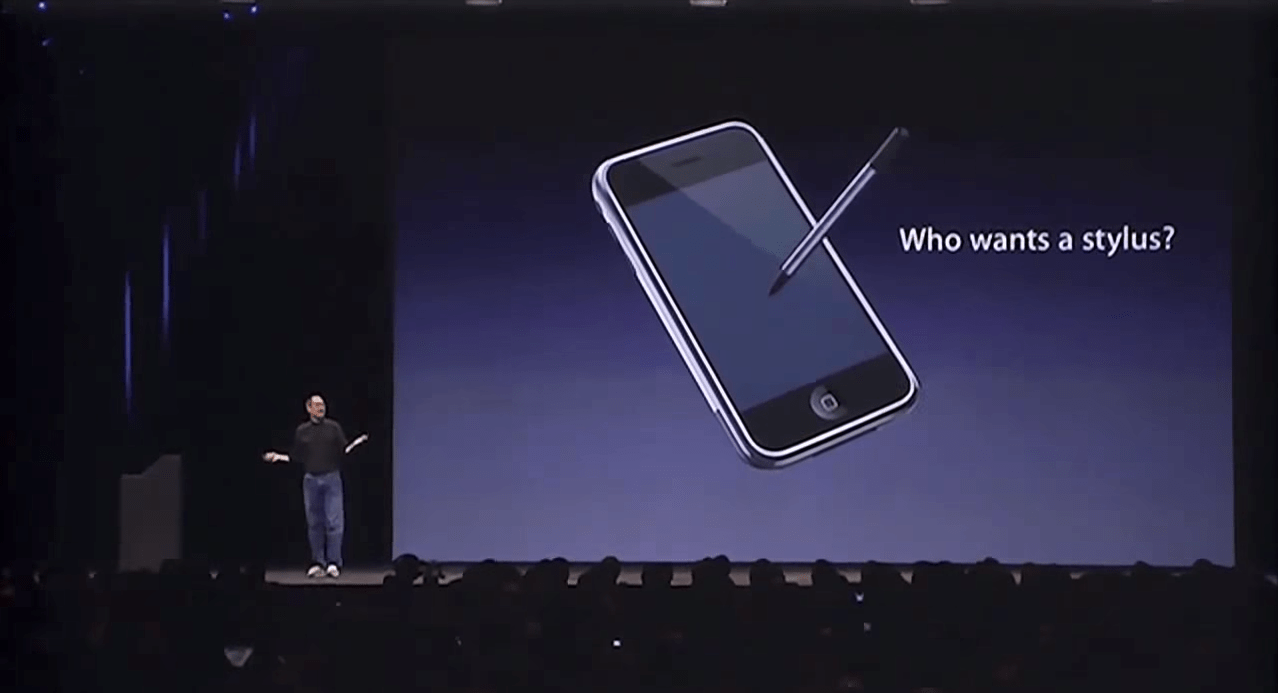
So what of the stylus, then? I’ve used them to replace my finger (such as with Samsung’s Note 4 and accompanying S-Pen) only to find myself frustrated that it was slowing me down. It’s also another thing to manage, to lose, to forget. Different models of styluses can be used differently, as I demonstrated in a previous Logged In column. And switching back and forth can be a pain, although using a stylus in conjunction with a gesture keyboard could be speedy. On the other hand, used for more careful ends—drawing a picture, scrawling a few ideas, selecting small items such as cells in a spreadsheet—the stylus can be quite helpful. But I’ve never felt comfortable with it serving as the primary way to interact with a phone or tablet.
Finally, there is the eye-tracking feature first popularized by Samsung but making its way to more devices. In some cases it’s used to save battery by dimming the screen when you’re no longer looking at it. Other times it’s used to pause videos or scroll a text document by tracking the motion of your eyes. Here’s the hard truth: eye-tracking is a little bit creepy and, in the end, mostly a gimmick. In practice, the technology often has difficulty tracking your gaze. More importantly, even if its accuracy were perfect, its functionality is extremely limited. It can pause a movie or turn the phone’s display off, sure. But it’s no help if you want to be more productive. The feature is both smart and welcome—but it’s not going to change the principal way you interact with a mobile device.
Sometimes a rudimentary tool is the most versatile tool for a job. In my case, and what I suspect would be the case for most users, that means your fingertip. Software developers have devised a number of clever ways to interact with your smartphone or tablet. It turns out that the most effective method for the majority of cases is your grubby, inaccurate, clumsy digit—a tool you’ll always have with you.
As I finish writing this column using a hardware keyboard plugged into a tablet computer, I’m reminded that, more than a century after the QWERTY keyboard was invented and four decades after the mouse was developed, they are still the dominant ways we use desktop computing devices. We use them because, strange as they are, they’re what works best for most applications. The spate of alternate input technologies for mobile devices are novel, artful, even useful in certain cases—but they been most useful in showing us that the finger is still the mobile king.
“Logged In” is Fortune’s personal technology column, written by Jason Cipriani. Read it on Fortune.com each Tuesday.